You Will Never See Quotation Marks the Same Way After Reading This
When was the last time you typed a quotation mark or an apostrophe? Most likely today, very possibly within the last hour.
When was the last time you took a good look at them? I bet never1.
I’ve been doing some copy-editing and proofreading at work, and one of the most common mistakes I spot is the inconsistent use of two different types of quotation marks. I thought this would be a good chance for me to nerd out a little and share some niche knowledge.
-toc-
Curly vs straight, smart vs dumb
There are two types of quotation marks (aka “quotes”): curly and straight, also known as “smart” and “dumb,” respectively.
With curly quotes, the opening and closing quotes are different from each other:
With serifs:
Sans serifs:
These are four different unique characters.
In contrast, straight quotes are just one character for both the opening and the closing double quote, and one for the single quote (also functions as the apostrophe).
Why are there two types of quotation marks?
Since the earliest days of book printing, quotation marks had always been curly.
Check out the curly quotes in this book from 1525:
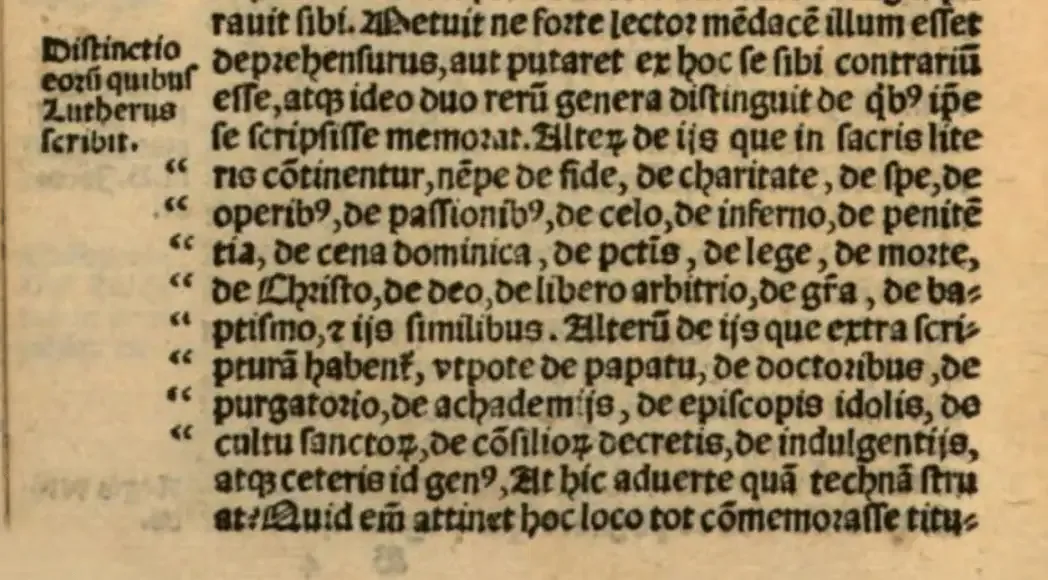
Straight quotation marks were born out of the limitation of typewriters2. There was just not enough room to put four different keys for quotation marks in the typewriter, so opening and closing quotation marks were consolidated into a single, vertical quotation mark that can function as both the opening and the closing quotation marks.
Use curly quotation marks
Straight quotes are not good typography. Except for specialized use cases like coding, you should always use curly quotation marks because they are simply way more readable.
Compare the following:
“Jack’s ‘cheap’ tricks.”
"Jack's 'cheap' tricks."
Straight quotes are just confusing and ugly to look at; there’s no good reason to use them over straight ones for text.
It’s even worse if the text is in a sans-serif font because the straight quotes are just a small vertical line:
"Jack's 'cheap' tricks."
At the very least, don’t be like CBC (Canada’s national broadcaster) and use a mix of both straight and curly quotation marks in the same body of text:
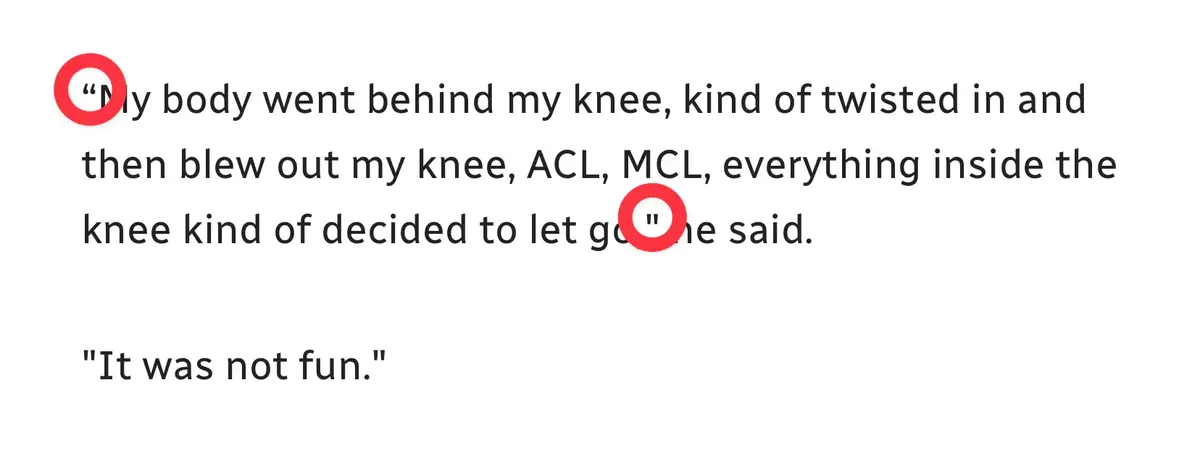
I mean, I love our public-funded broadcaster, but do they not have a proofreader?!
How to type curly quotation marks
Our computer keyboards only have a single key for both the straight single and double quotation marks. However, most writing apps, like MS Word, Apple Pages, iA Writer, etc, will automatically convert straight quotation marks to curly ones (hence curly quotes are also called “smart” quotes):

In macOS, there’s a built-in, system-wide feature call Substitutions that can automatically convert straight quotes to curly in most text fields. For example, with Safari, smart quotes are enabled by default in any text fields on any website. You can right-click on the text field to check:
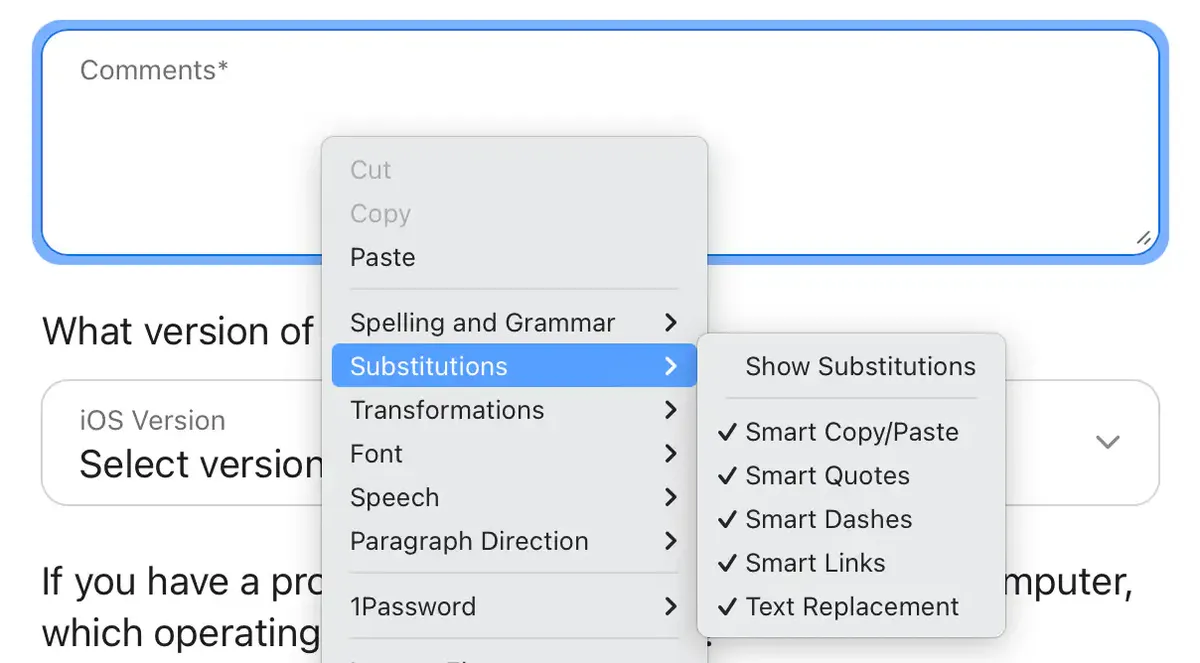
However, some applications, like Discord, MS Teams and Notion, don’t support macOS’ built-in, system-wide smart quote conversion:

It typically happens when the app isn’t written natively for Mac—if it’s an Electron app, for instance.
It typically happens when the app isn't written natively for Mac—if it's an Electron app, for instance.
Thankfully, on a Mac, you can manually type curly quotation marks:
- left double quote: OPT + [
- right double quote: OPT + SHIFT + [
- left single quote: OPT + ]
- right single quote (also apostrophe): OPT + SHIFT + ]
Windows unfortunately doesn't have a built-in, system-wide smart quotes conversion, and you can't type curly quotes on the keyboard with any modifier keys (at least with QWERTY layout).
To type curly quotes without a numpad on Windows:
- WIN + . (period), then click
Ωand find the right character
If you have a numpad, hold ALT and type the following code:
- left double quote:
0147 - right double quote:
0148 - left single quote:
0145 - right single quote (also apostrophe):
0146
With this knowledge, I hope you can now get a kick out of spotting bad use of straight quotes in the wild (especially in publications from well-funded organizations) and, most importantly, practice good typography and use curly quotes in your own writing! 😉
Reply via email. Subscribe to my blog via email or RSS feed.
Unless you are a nerd like me ;) And yes I wrote this on Christmas haha.↩
https://practicaltypography.com/straight-and-curly-quotes.html↩